
Functional Lifecycle State
Every functional within brewlytics falls under a defined category in the Lifecycle State — TESTING, PRODUCTION, RETIRED, and (for functional developers) NONE.
- TESTING: This functional is still being developed and is not considered final.
- PRODUCTION: Once in this state, the functional is ready for use and should not require significant changes. Inputs and outputs cannot be changed, removed, or added to.
- RETIRED: The functional has been replaced or is no longer available.
- NONE: Primarily for functional developers — forces a validation error if the developer forgets to define the lifecycle state.
TESTING
Section titled “TESTING”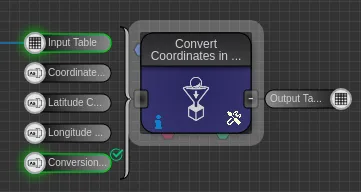
The TESTING badge appears in the bottom-right corner of a functional’s canvas icon.
Updated with no input/output changes
Section titled “Updated with no input/output changes”The functional continues to perform as expected with little to no impact on existing workflows.
Updated with optional input/output changes
Section titled “Updated with optional input/output changes”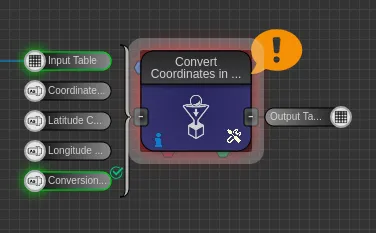
The user may want to confirm the update if it’s already used in a workflow — for example, changing an optional input to a required one can throw “Missing required input on a component.”
Updated with required input/output changes
Section titled “Updated with required input/output changes”If the functional is in a preexisting workflow, an error occurs and the functional needs to be updated within the workflow. New workflows are unaffected.
Retired or deleted
Section titled “Retired or deleted”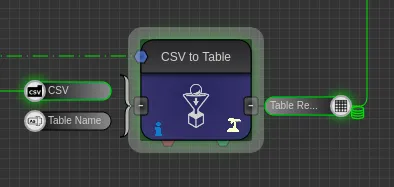
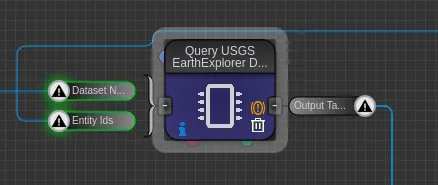
Functionals are usually RETIRED or deleted because an API becomes unreachable, the functional is broken, or it’s no longer needed. A workflow already using a retired functional may keep working depending on the functional type; once removed, a retired/deleted functional with no replacement no longer appears in search.
PRODUCTION
Section titled “PRODUCTION”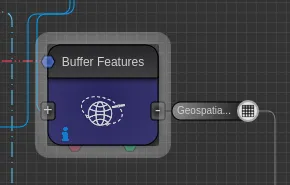
Unlike TESTING and RETIRED, PRODUCTION functionals are icon-less. Input/output changes to a PRODUCTION functional retire the original and replace it with a new functional — existing workflows need to be updated to the replacement.
Updating functionals in any lifecycle state
Section titled “Updating functionals in any lifecycle state”
When a functional has been updated, the option to update automatically appears between the functional’s description and its input/output parameters.